Page 1 of 1
Numbers stamped on F 134 head
Posted: Thu Jun 28, 2018 11:13 am
by nealseale
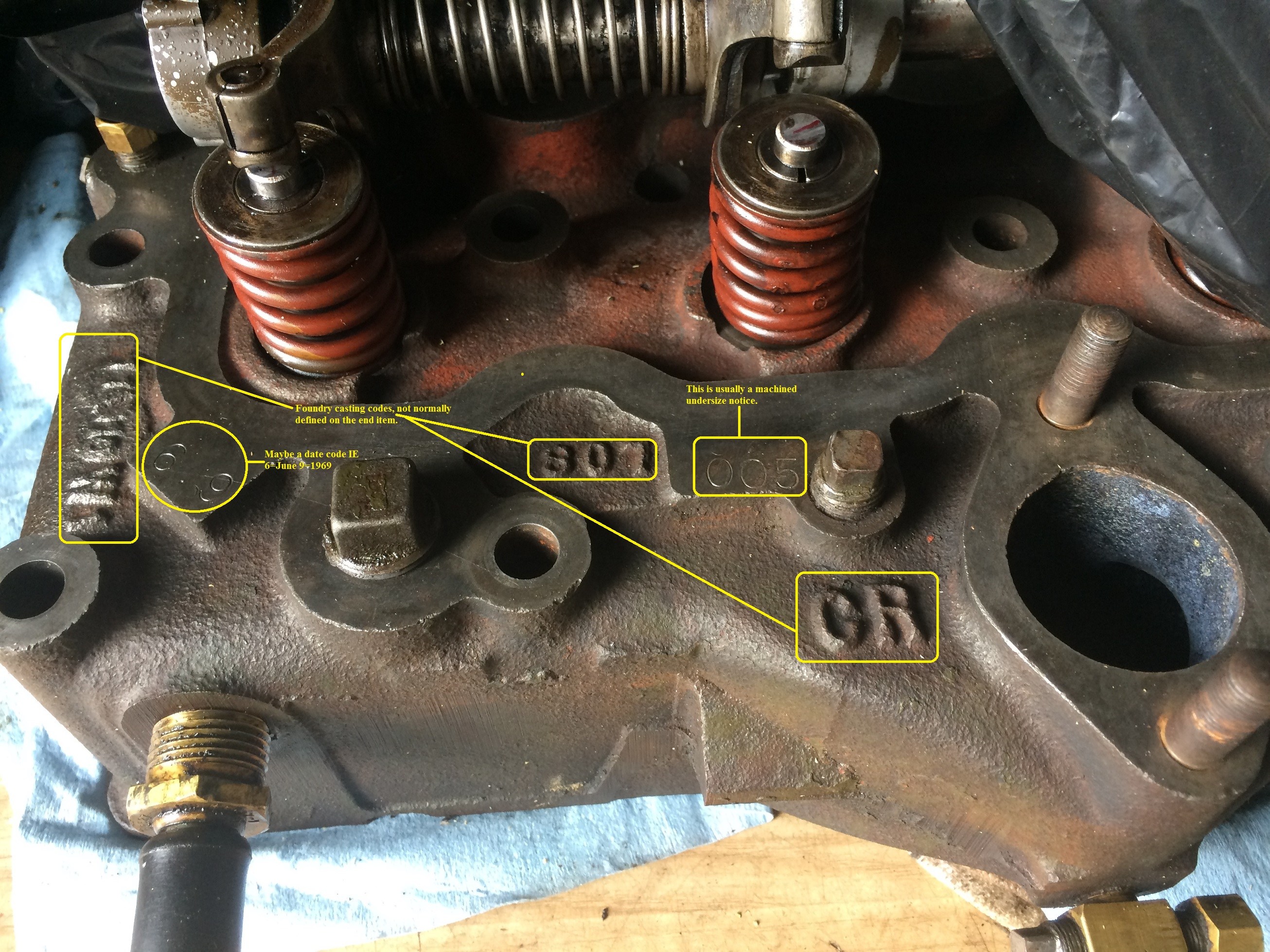
The numbers 005 and 6.9 are stamped on the head. Ive read what they mean in the past but can’t remember. Looked through manuals, threads, Wes’album, and googled. I’m sure I’ve missed it. Could someone point me to the place it’s explained. Y: Thanks!!
Posted: Thu Jun 28, 2018 12:45 pm
by wesk
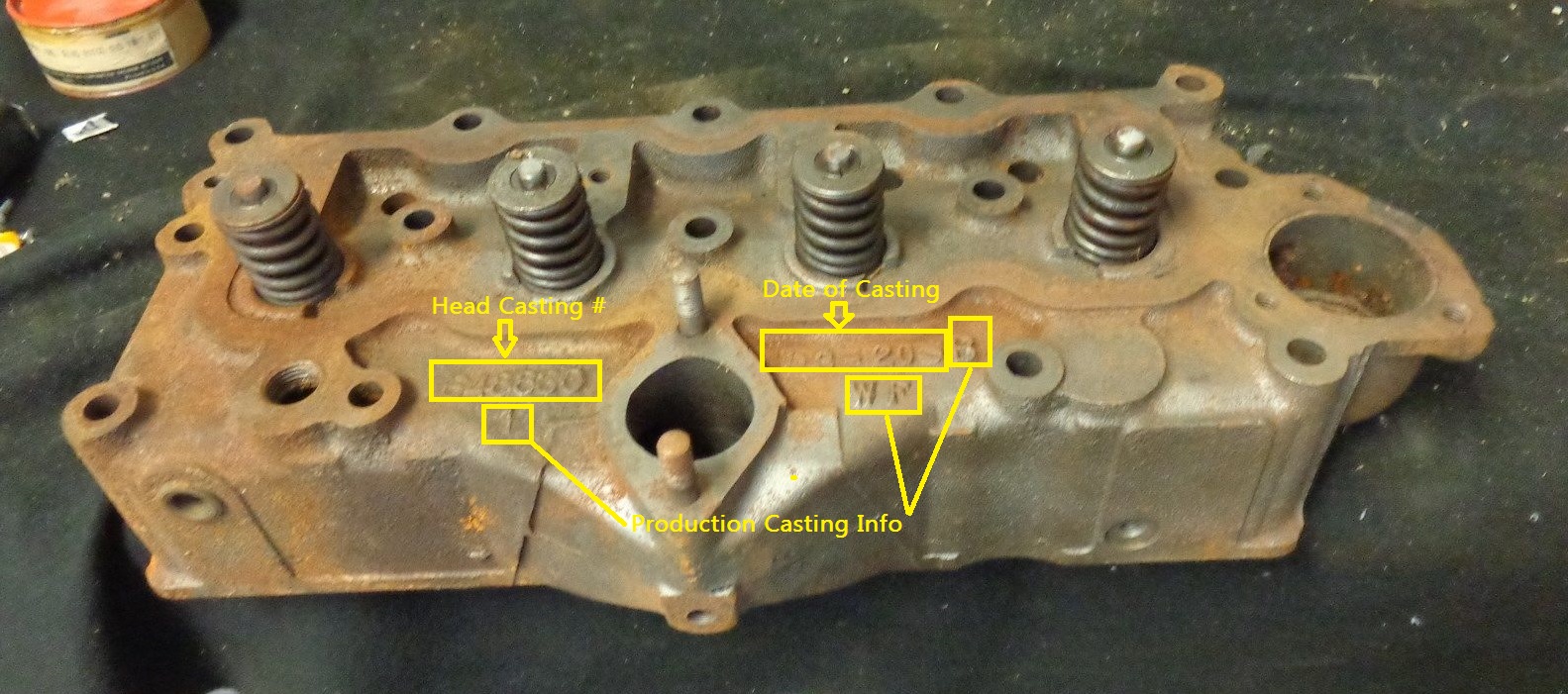
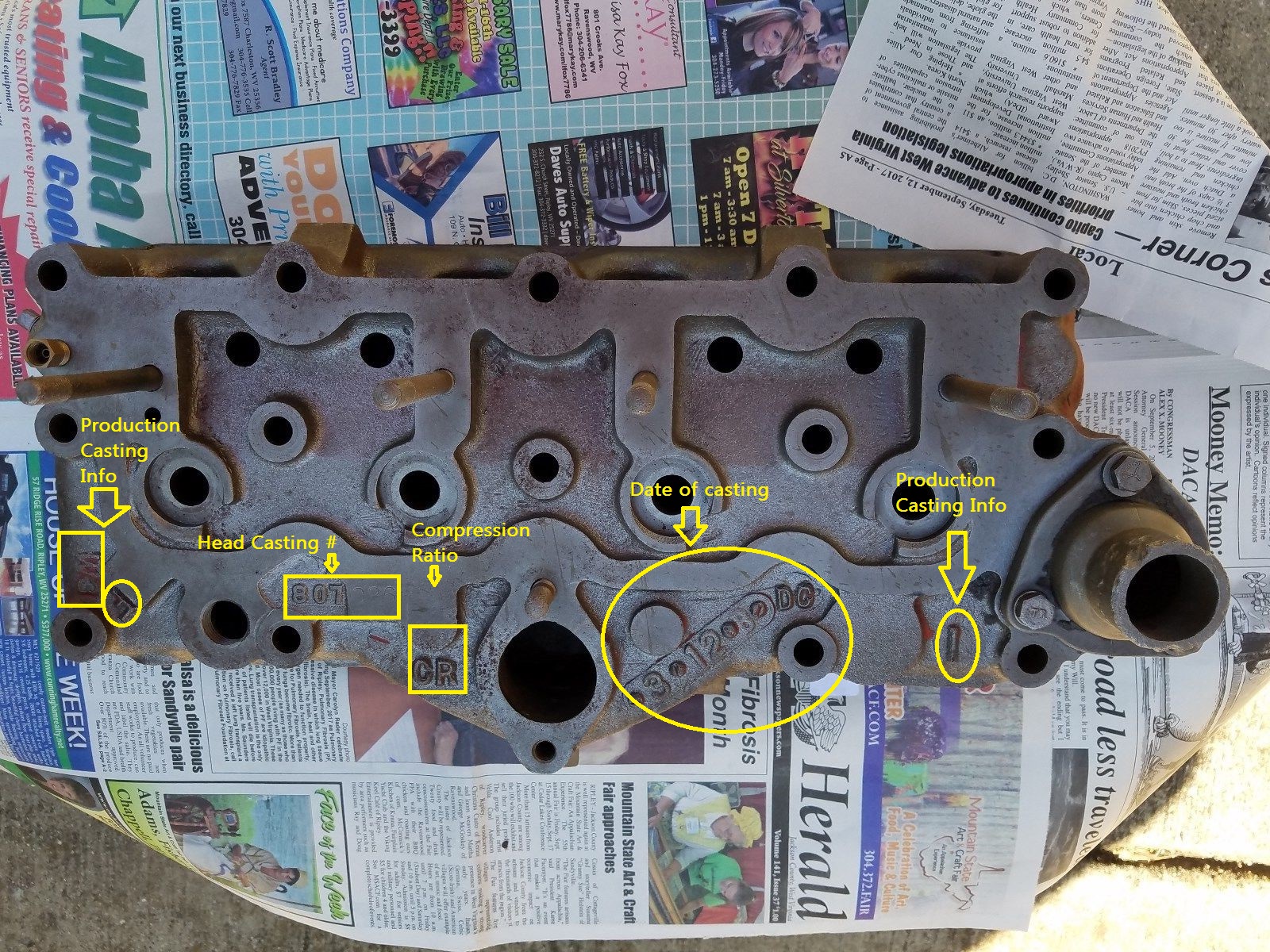
I do not see any numbers like that on these f134 heads?
Large file photo:
http://willysmjeeps.com/v2/modules/gall ... rkings.jpg
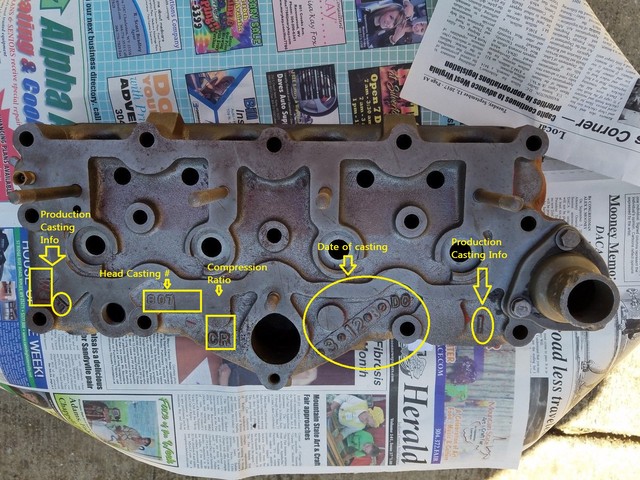
Large file photo:
http://willysmjeeps.com/v2/modules/gall ... 1_Edit.jpg
Perhaps you can post a photo of the numbers you see on your head?
Posted: Fri Jun 29, 2018 5:26 am
by nealseale
Thanks Wes. It’s time for me to request a photo album.
Posted: Fri Jun 29, 2018 10:27 pm
by wesk
Posted: Fri Oct 12, 2018 2:39 pm
by nealseale

Looks like you are not using the correct url for your photo posting.
https://image.ibb.co/mSPOr9/Jeep.jpg This is the correct URL. You can get it by right clicking on the photo and then select "copy image address" from the drop down menu then paste that URL between the
![Image]()
's. The problem is the web site you have decided to use only give's you a link to a much too large file size photo to post here. 150K is an ideal file size for posting photo here. Your photos on the ibb site are 1.47Meg or 1470K. Way too large for posting here. That eats up a ton of server space.
Why didn't you just use the album I set up for you this spring?
I transferred your huge 1470K file to your album on our web site and if you ignore the thumbnail copy (very small) and use the first click copy it is only 98K.
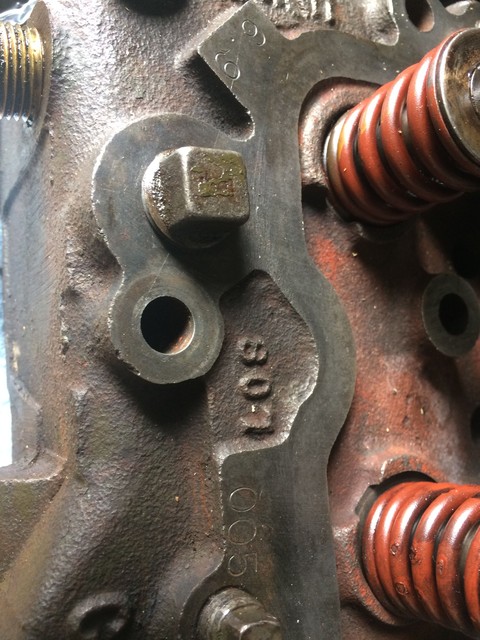
Posted: Fri Oct 12, 2018 2:52 pm
by nealseale

The above file size was 2120K or 2,12 Meg.
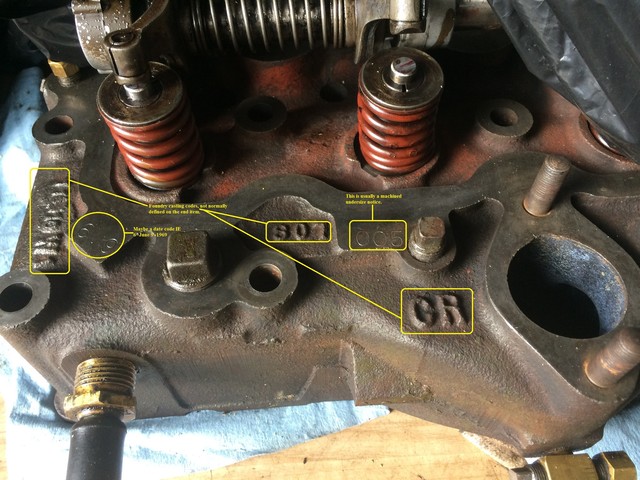
This file was only 99K and is the the 2nd size from your album here on our web site.
If someone wants to get a larger view to read the yellow notes they can just open the 3rd largest view in the album at this url:
http://willysmjeeps.com/v2/modules/gall ... _again.jpg
remember, do not copy and paste the URL seen at the top of your browser site address block. You must first click on the thumbnail of the photo you wish to use to post here. This will yield the intermediate size copy of the photo. Then you RIGHT click on that photo and in the drop down menu that appears then left click on "Copy image address" then go to your post and between these
![Image]()
paste that url.